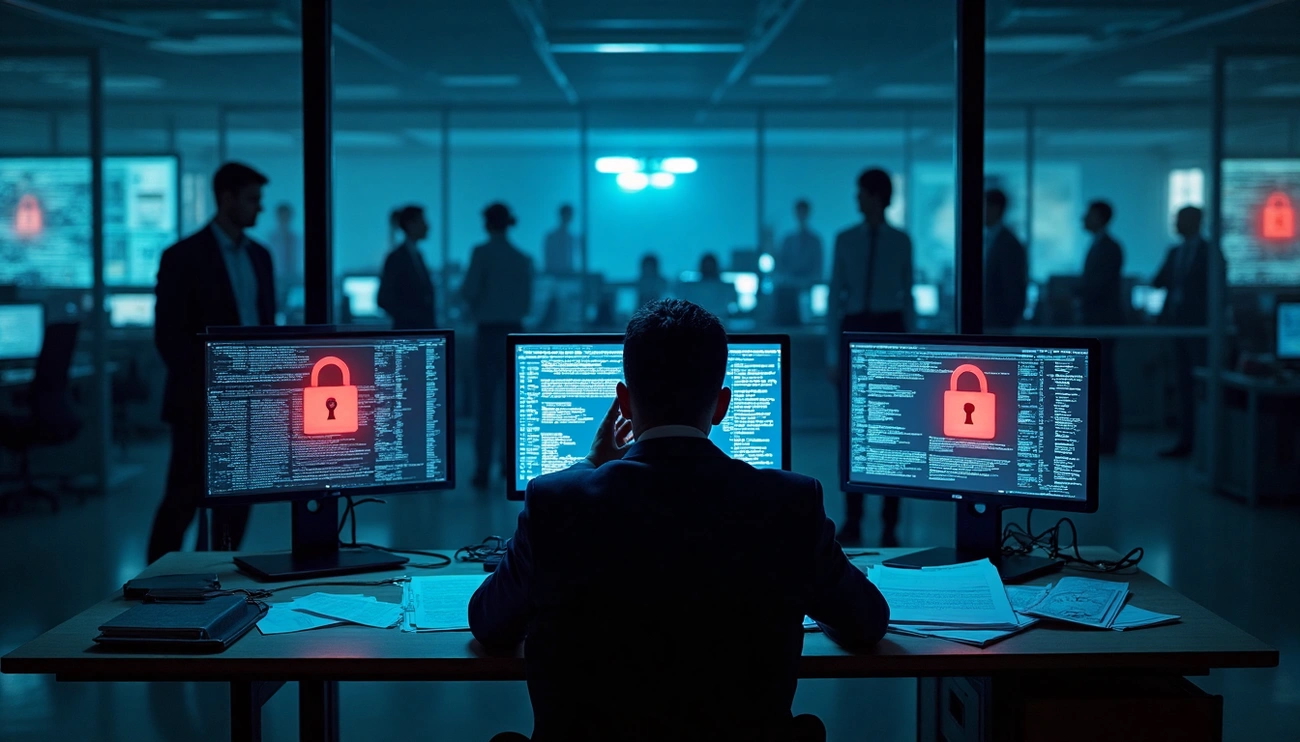

Remote Worker Security: Cyberattacks exploiting Microsoft Remote Desktop Protocol vulnerabilities now account for more than half of all ransomware attacks. Businesses everywhere rush to boost their defenses as cyber threats continue to surge. Recent data shows that attackers targeted 61% of U.S. small and medium-sized businesses in 2021.
Our team has faced these security challenges directly, and we created this detailed guide to help you protect your remote workforce. This piece shares proven security practices that shield your business without hurting productivity. You’ll learn about VPNs, which 80% of users already rely on for better security, and discover how to build a resilient remote working security policy. The guideline below will protect your company’s data, allowing your operations to run smoothly.
What you’ll learn:
- Current major security threats that remote workers face
- Ways to lock down remote access using VPNs and security tools
- Innovative approaches to protect devices and sensitive data
- Methods to build and roll out a firm remote security policy
- Proven ways to get your team following security practices
Understanding the new risks of remote work
Remote work has revolutionized the cybersecurity landscape. Workers moved from secure offices to home setups, and cybercriminals quickly spotted new ways to break in. Organizations faced average losses of $4.24 million from data breaches in 2021, rising from $3.86 million in 2020. When remote working contributed to the breach, companies incurred additional costs of $1.07 million.
Why remote work increases security exposure
Remote work provides cybercriminals with additional avenues for attack. Companies now need to protect multiple individual access points, rather than just one central security wall. These access points spread across networks and locations.
Company IT departments often struggle to track employees who work from remote locations. Without direct access to devices, they struggle to implement security protocols and resolve issues promptly. This lack of visibility delays threat detection and response, potentially causing more severe security incidents. Struggle to implement security protocols and resolve problems promptly.
The move to remote work has broken traditional security methods. Company data now travels through various networks and personal devices. Old security methods that focused on protecting the office network are no longer effective. Companies now face new challenges in keeping data safe and complying with regulations.
Everyday work-from-home security risks
Remote workers deal with unique security threats that office workers don’t face:
- Unsecured networks, such as home and public Wi-Fi, lack the protection of corporate networks, making them easy targets. These networks lack secure firewalls to monitor network traffic.
- Personal device usage: Employee’s devices (BYOD) create significant security risks. These devices often miss proper security settings and run outdated software.
- Phishing and social engineering: Working alone increases people are more likely to fall for these attacks. Scammers have devised clever new tricks that exploit remote work arrangements. They know there’s no one around to double-check suspicious requests.
- Shadow IT: Remote staff often use unauthorized apps that bypass security rules, which creates hidden risks.
- Poor password hygiene: Weak passwords can render firewalls and VPNs ineffective. People who reuse weak passwords put their company’s data at risk.
The cost of ignoring remote security
Companies that ignore remote security face huge losses. Those with 81-100% remote workers see breach costs hit USD 5.54 million. Lost business and cleanup after a breach cause 75% of these cost increases.
Remote work data breaches are more challenging to detect and mitigate. Companies without effective security technology need 239 days to detect a breach and 85 days to contain it. IT departments equipped with the proper tools can detect and contain threats in 184 days on average.
Financial losses are just one consequence. Security incidents damage consumer confidence, and restoring a brand’s standing takes considerable time. Regulations like GDPR and CCPA add further complexity, imposing heavy penalties on organizations that don’t safeguard information appropriately. Personnel mistakes represent the most significant cybersecurity risk. Staff members were responsible for 83% of data breaches last year. This shows the importance of effective security education for distributed workforces. Most incidents stem from negligence rather than malicious intent. Securing your remote access points.
Secure remote access points are the foundation of any resilient work-from-home security strategy. Remote employees now connect from everywhere. Creating secured pathways to your company’s network has become vital.
Use of VPNs for encrypted connections
Virtual Private Networks (VPNs) create secure, encrypted connections, allowing off-site employees to connect to company systems safely. Encryption prevents unauthorized access to your information on public networks. VPNs mask your IP address, which helps protect your data from surveillance. They serve as essential components of remote work security.
Your remote team’s VPN should have these vital features:
- Multiple server locations to get faster speeds and lower latencies
- Kill switch that cuts internet connection if the VPN fails.
- Split tunneling to pick which data goes through the VPN tunnel
- No-logs policy so your activity stays private
- Mobile applications that protect all your devices
- Multiple VPN protocols that offer different protection methods
VPNs offer excellent protection but can’t fix poor cybersecurity habits. They should be part of your work-from-home security plan, not your only defense.
Avoiding public Wi-Fi without protection
Using public wi-fi services pose a risk. Professional hackers targets coffee shops, airport, hotels, etc., to steal sensitive data.
Businesses and employees become easy targets without proper protection.
Here’s how to stay safe on public networks:
- Use a VPN every time you connect to public Wi-Fi – it keeps hackers from seeing your data.
- Don’t access sensitive information, such as banking or critical work accounts, on public networks.
- Remember that hackers can see all file sharing and data transfers on unprotected public networks.
Public Wi-Fi should be your last choice for handling company information. Employees should stick to secure home networks or mobile hotspots for their work.
Setting up firewalls and secure routers
Firewalls serve as vital security gates between your internal network and external networks. Your work-from-home security needs firewalls at both server and user ends. This creates double-layer protection, regardless of how employees connect.
Make your home router more secure by:
- Picking a unique router username and password instead of the default.
- Use WPA2 with AES encryption or WPA3, if available – these provide the strongest network protection.
- Updating router firmware regularly to fix security holes.
- Setting up separate networks for different devices helps limit the damage from a breach.
- Ensure your router’s firewall monitors both incoming and outgoing traffic.
These steps add layers of protection, making your remote working security significantly stronger. Remote work opens new ways for attacks. Well-configured routers and firewalls serve as your first line of defense against unwanted access.
These security measures help organizations stay protected, even with remote work setups that involve scattered locations.
Protecting employee devices and data
Device and data protection creates multiple defense layers against cyber threats for remote employees. This protection goes beyond just securing access points. Organizations need to protect both the devices and data used by their remote workforce.
Enforcing strong passwords and 2FA
Strong authentication is the lifeblood of work-from-home security best practices. Complex passwords serve as your first line of defense. Passwords should be a minimum of 12 chracters long. There should be a mix of upper and lower case letters, symbols and number. Password updates every six months strike a balance between security and user convenience.
Multi-factor authentication (MFA) substantially boosts this protection. Users with MFA enabled face significantly less risk of getting hacked. Cybercriminals might steal login credentials through phishing, but they can’t access systems without the second authentication factor. A 2022 healthcare organization case proved MFA’s effectiveness. It blocked credential theft attempts when employees’ passwords were stolen through a fraudulent email campaign.
Installing antivirus and endpoint protection
Remote devices need resilient protection against evolving threats. Modern antivirus solutions detect malware through behavioral monitoring, including ransomware. As a prime illustration, Bitdefender’s Advanced Threat Protection detects potential risks by analyzing unusual activities instead of looking for already known threats.
Conventional scanning needs to be combined with these endpoint security capabilities:
- Active monitoring that examines all new and altered files
- Activity tracking that constantly watches processes for malicious behavior
- Ransomware protection that focuses on encryption-based threats
Endpoint protection becomes especially crucial when traditional security assumptions are no longer effective. Remote work means devices don’t stay on trusted networks and IT teams can’t physically access them.
Encrypting sensitive files and communication
Encryption is a vital layer of defense in remote work settings. It encodes information to keep unauthorized users from reading it. This protection works for both data in transit and at rest. Encrypted sensitive documents stay safe even if someone steals or compromises the device.
Encrypted file sharing ensures secure work by protecting files during transmission between colleagues. Organizations need encryption to comply with data protection regulations, such as GDPR, HIPAA, or CCPA. This helps them avoid regulatory fines.
Backing up data regularly
Remote work environments can’t function without regular data backups. Endpoints—such as laptops, desktops, tablets, and smartphones—often store valuable data. This data may never reach data center storage unless it is backed up. Device failure, loss, or theft could permanently erase this information.
Cloud backup solutions have revolutionized endpoint protection. Teams can back up to cloud repositories that core IT manages. This ensures quick data recovery and prevents costly downtime. Cloud backup lets IT professionals recover from cyberattacks or accidental data loss remotely.
It is not always VPN connection. Businesses can enhance their work-from-home security practices with these four rules.
Security policy.
Companies should incorporate the below elements in their security guides for remote employees.
- Scope and eligibility – Define which staff members can work remotely and what devices they may use
- Security requirements – Specify essential protective measures including operating system standards, data protection protocols, and required security tools.
- Access control protocols – Establish which organizational systems permit remote connectivity and define verification methods.
- Privacy disclosures – Explicitly communicate the scope of company monitoring on staff devices.
- Compliance requirements – Specify password policies, two-factor verification protocols, and maintenance timelines.
- Incident response procedures – Define processes for handling device loss or security incidents
The policy should be well-documented and readily available to all employees, with regular reviews conducted.
Guidelines for using employee personal devices.
Organizations that allow personal devices (BYOD) need clear guidelines to succeed:
Personal devices must meet minimum security standards before being allowed to access company systems. Your requirements should include current operating systems, up-to-date antivirus protection, and encryption capabilities.
Mobile device management (MDM) solutions create separate, secured workspaces on personal devices. This separation protects company data and respects the privacy of employees.
Clear boundaries regarding company data ownership help prevent misunderstandings and legal issues. You need procedures to remove company information when employees leave.
Monitoring and access control best practices
Security monitoring and employee privacy concerns need a balanced approach:
Your team should be aware of what you monitor. Let them know that you track work-related activities while personal communications stay private. This builds trust and encourages compliance.
Access control works best with the principle of least privilege. Give employees access only to resources they need for their specific roles. These permissions need regular reviews, especially after role changes or promotions.
A remote working security policy should make complex security measures easy to follow. This protects your organization without creating barriers to productivity.
Training your team on security best practices
Your team members are both your best defense and biggest weakness in work-from-home security. Technical safeguards are helpful, but untrained employees remain vulnerable to cybercriminals. A recent study reveals that 70% of organizations face skilled worker shortages in cybersecurity, making employee training essential to fill these knowledge gaps.
Recognizing phishing and social engineering
Phishing attacks account for approximately 79% of security breaches, making them the most common threat that remote workers face. Teams can spot these attacks better through regular training that teaches them to look for:
- Incorrect spelling and grammar errors
- Suspicious sender addresses or slightly altered web addresses
- Unusual attachments with multiple file extensions
- Messages that create panic or urgency
Monthly training sessions keep teams updated on social engineering tactics and help identify security threats.
File sharing and communication habits.
Work-from-home security faces significant vulnerabilities due to insecure file sharing. Clear guidelines can prevent data leaks:
Document sharing should be avoided via email whenever possible. Teams should utilize company-approved secure file-sharing solutions with proper access controls.
Employees need to verify recipient email addresses before sharing sensitive information. These addresses must belong to legitimate company domains.
Time-sensitive shared links that expire after use limit potential exposure.
Reporting incidents and suspicious activity
Straightforward reporting procedures play a crucial role in ensuring practical work-from-home security guidelines. Teams should familiarize themselves with incident response processes before starting to work remotely.
An easy-to-use channel allows employees to flag suspicious emails or activities quickly. A remote working security policy should outline specific steps employees must take after any security incident.
Quick detection reduces breach effects substantially. Companies with proper security protocols detect breaches 55 days faster than those without, highlighting the importance of prompt reporting.
Conclusion
Remote work security has evolved from a convenience to a necessity as cyber threats target remote workers. The shift to distributed teams has transformed the digital landscape and introduced vulnerabilities that cybercriminals are eager to exploit. You can substantially reduce these risks and maintain high productivity by implementing the strategies outlined in this piece.
Your priority should be securing remote access points through VPNs, properly configuring your router, and avoiding unprotected public Wi-Fi. Your employees’ devices need protection with reliable authentication methods, endpoint protection, file encryption, and regular backups. These technical safeguards are the foundations of your defense against sophisticated attacks.
The human element matters more than technology. Your remote working security policy serves as the backbone of your protection strategy, defining expectations and responsibilities for your team. Regular security training, combined with this policy, equips employees to identify threats and respond effectively when problems arise.
Setting up detailed work-from-home security requires original investment and constant attention. It can get very pricey when it comes to data breaches, reputation damage and financial losses.
These security measures are not optional extras but essential business investments that protect your company’s future.
Remote work has become a permanent part of the business world. Companies that prioritize security will stay ahead of their competitors. Strong security fosters trust among clients, partners, and employees while safeguarding data. Your organization will become resilient and ready to succeed, regardless of your team’s location, by following these work-from-home security guidelines.
Remote Worker Security | Blog Article | Office Technology Experts | All Rights Reserved | Melville, NY
Also, visit our sister companies: East End Technology Solutions, Riverhead, NY, USA 11901, and Econo-Tech. Farmingdale Ny 11735